
Not a checkbox. A photo.
You don't quit at the goal.
You quit at 6:30 on a Tuesday.
Habiton wakes you at the time you chose and asks for proof. A photo, not a tick.

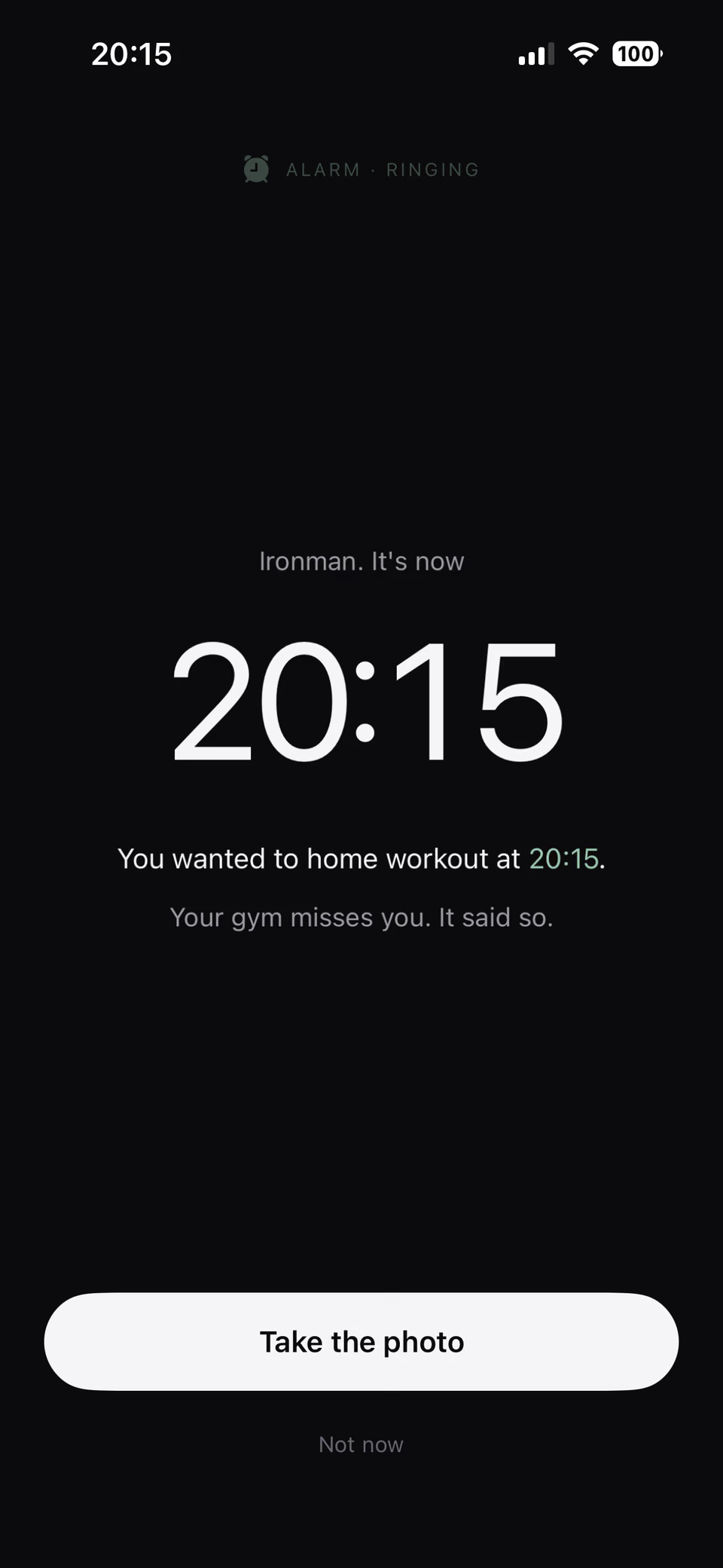
You set the goal. You meant it.
Nobody sets a goal intending to abandon it.
Then a Tuesday happens.
You're tired, it's raining, and the app lets you tick the box anyway.
A tick costs nothing. That's the problem.
A habit tracker you can lie to is a diary of your intentions.
How it works
Three steps, and one of them is not optional.

Set the time
Pick the habit and the moment. 6:30, three days a week. That's the appointment.
The alarm comes through
It sounds in silent mode and through Focus. You can snooze it. You cannot ignore it.

Photograph the proof
Show the shoes, the gym, the glass. Habiton checks the photo and decides. On your phone.
What the app actually does.

Verification that means it
The photo is analysed on your device. Habiton checks what it shows before the day counts.
Alarms, not notifications
Silent mode, Focus, Do Not Disturb. The one reminder that still gets through.
Nothing leaves your phone
No account, no server, no analytics. The photo is deleted the moment it's checked.

Streaks you actually earned
Every day in your history was proved with a photograph. That's what makes it worth keeping.
Six screens. No tick boxes.
There is no "mark as done" button anywhere in Habiton. There is a camera.


Questions.
Do my photos get uploaded anywhere?
No. The photo is analysed on your iPhone and deleted straight afterwards. It isn't saved to your photo library and it never reaches a server.
Do I need an account?
No. There is no sign-up, no email, no password. Your data lives on your phone and is included in your normal iPhone backup.
What if the app doesn't recognise my proof?
You get three attempts. If a habit genuinely can't be photographed, Habiton tells you that when you create it rather than pretending later.
Can I use it without the alarm?
Yes, it falls back to a standard notification. But the alarm is the reason it works.
What do you do with my data?
Nothing. We can't. We never receive it. The website counts anonymous visits and that is the extent of it.
Which iPhones does it work on?
Habiton runs on iPhone with iOS 17.0 or later. The alarm that breaks through silent mode and Focus needs iOS 26. On iOS 17 to 25 the reminder falls back to a standard notification.
Set a time. Show up. Prove it.